
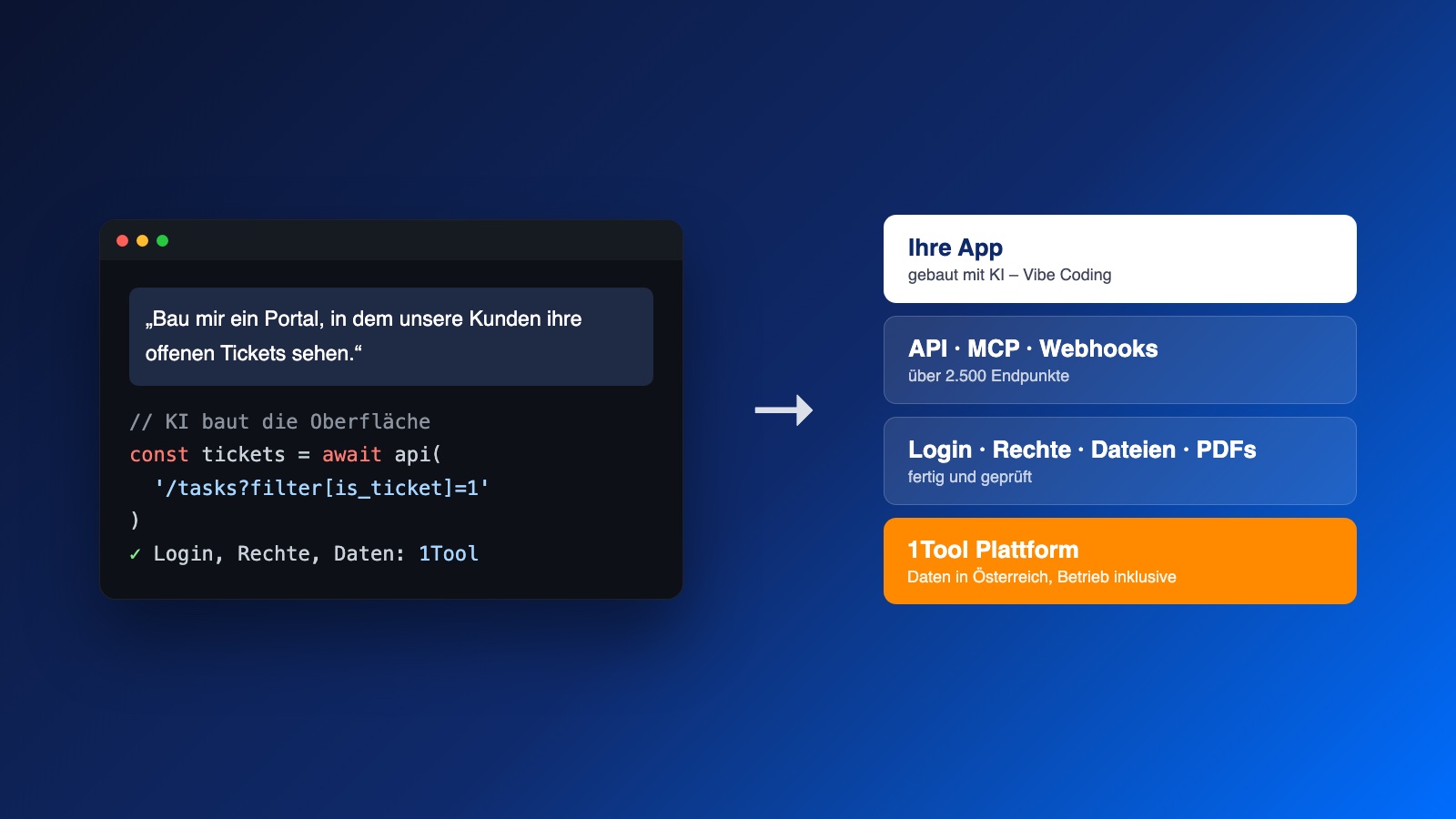
"Vibe coding" means describing to an AI, in plain sentences, what an application should do – and the AI writes the code. Claude, Cursor, Lovable or Bolt can build an interface in an hour that would once have taken a development team a week. By now this works surprisingly well – as long as the app stays on your own computer.
As soon as real customers, real employees and real data come into play, things change. It is no longer about buttons and colours, but about the questions on which quickly built apps regularly fail: where is the data stored? Who is allowed to sign in? Who may see what? What happens to uploaded files? Who takes care of backups?
Our answer is simple: let the AI build only what it does well – the user interface. 1Tool brings the rest as a platform.
The real problem with vibe coding is not the code
An AI will write you a database table, a sign-in form and a permission check in minutes. Whether the permission check applies everywhere, whether passwords are stored securely and whether a customer can see another customer's data by changing the address bar – nobody checks that. This is exactly where the well-known blunders happen: publicly accessible databases, access keys in the browser, missing tenant separation.
On top of that comes everything no AI delivers in an afternoon:
- a server that runs around the clock and receives updates,
- backups that can actually be restored,
- data protection, data processing agreements and a clear data location,
- email delivery that doesn't end up in spam,
- PDFs, file storage, logs, reports.
This is the part of an application that stays invisible as long as it works – and it makes up most of the work.
1Tool as a platform: the backend is already there
1Tool is a CRM and ERP with around 30 modules – contacts, projects, tickets, quotes, invoices, time tracking, files and much more. Everything you see in the interface is also accessible via the 1Tool API: more than 2,500 endpoints, documented live from the code in the OpenAPI standard. This is exactly the format an AI likes to read best.
For an app you build yourself, this means it gets a ready-made backend that is already running in production, instead of having to invent one.
| What your app needs | What 1Tool provides |
|---|---|
| Database | a separate database per company, strictly separated from all others |
| Sign-in for employees | your existing 1Tool users – no second password |
| Sign-in for customers and partners | contact login with password, SMS code or magic link |
| Permissions | the same roles and access rights as in 1Tool – the app only sees what the signed-in user is allowed to see |
| Custom data fields | user-defined fields, without database changes |
| Files and photos | folders and file storage via API, including thumbnails |
| PDFs | an endpoint that turns HTML into a finished PDF |
| Reports | saved reports that can be run via the API |
| External data | incoming webhooks and HTTP requests from workflows |
| Real time | WebSocket events when data changes |
| Operations | servers in a data centre in Wels, Austria – updates, backups and monitoring included |
So your AI doesn't have to make up how a ticket, an invoice or a customer is stored. It reads the documentation, calls the right endpoints and builds on top of them the interface that your team or your customers really need.
And the AI works directly with your data
1Tool also provides an MCP server. MCP (Model Context Protocol) is the open standard through which AI assistants such as Claude access external systems. This means that during development your AI assistant doesn't just query the documentation – it sees the real fields, filters and records of your company, signed in as you, with exactly your permissions.
In practice: you say "Build me an overview of all open tickets from my key accounts, grouped by assignee", and the AI knows which endpoints and filters exist for this – because it can look them up instead of guessing.
What has already been built this way
We work like this ourselves every day. A few examples from recent months, all built on 1Tool as a platform:
- A fleet portal for a large logistics group. More than a thousand locations report damage, upload photos and track their tickets. The portal has no server of its own: it is a static web app that signs in via the 1Tool contact login and fetches all data from 1Tool.
- A daily workshop report. Every morning at 7 a.m., the workshop management receives a report with the open orders – generated from a saved 1Tool report, with a link directly to each ticket.
- A field sales app. An installable web app that advisers use to manage appointments, customers and applications on the go – data and sign-in come from 1Tool.
- A desktop app for administration. An internal tool as a desktop application that works on the same data as 1Tool itself.
- A leaderboard for a sales competition. A page that shows live, based on contracts and organisation charts, who is ahead on the way to the incentive trip.
None of these projects had to invent a database, a login or a permission system. The work went into the interface and into the question of what the user actually needs – exactly where it belongs.
How to get started
- Describe the problem, not the technology. "Our fitters should see on their phones which materials are reserved for tomorrow's site." That is a better start than "Build me a React app".
- Give the AI the 1Tool API. The OpenAPI description or the MCP server – then it builds on the real endpoints instead of invented ones.
- Create a dedicated user with suitable permissions. The app gets no more access than necessary. You control permissions and visibility in 1Tool as usual.
- Keep the data in 1Tool. No second database, no copy of customer data on some test server. The app displays, 1Tool stores.
- Host only the interface. A static web app doesn't need its own server – any simple web space or a service such as Cloudflare Pages will do.
Frequently asked questions
Do I need programming skills? Not necessarily for the first prototype – that is what vibe coding is for. Before an app goes live for customers, though, someone with experience should take a look at it. The advantage of 1Tool as the foundation: the critical parts – data, sign-in, permissions – have already been tested and no longer need to be checked line by line.
Can a self-built app destroy data? It can do exactly what the user it is signed in with is allowed to do. That is why every app should have its own user with restricted permissions – read-only wherever reading is all that's needed.
And if I don't have time to build it myself? Then we will build the app for you – in exactly this way, and much faster than before. Tell us what you need.