Every vehicle with its condition
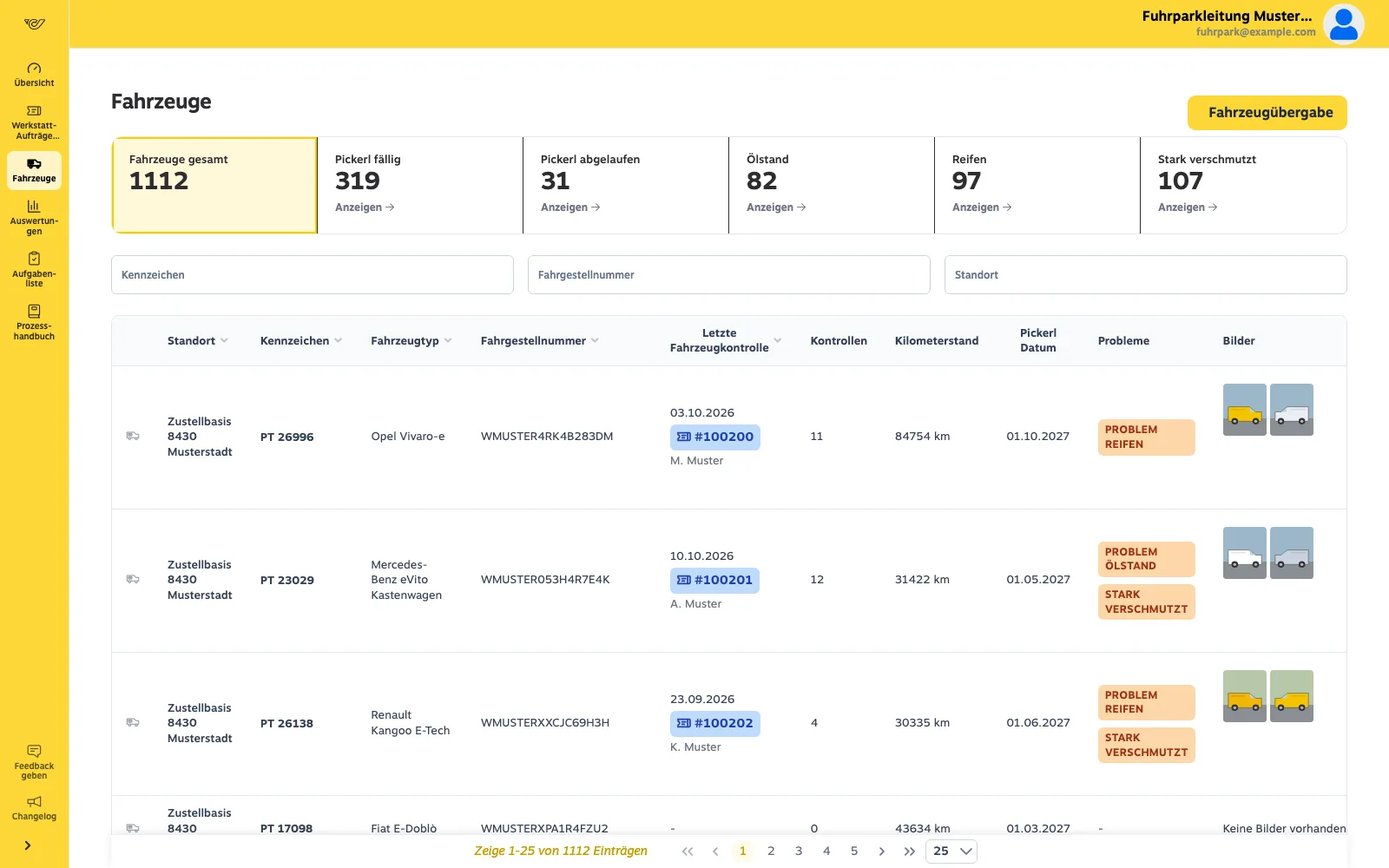
Last inspection, mileage, sticker date, open problems and photos in one list – searchable by plate, VIN and site.
Fleet app · For the fleet team
See when each vehicle was last inspected, what was found and when the roadworthiness test expires – across all sites, without spreadsheets.
Your vehicle list from a spreadsheet or your current system.
The responsible workshop per site and vehicle make.
Drivers inspect, due dates calculate themselves.
Tackle overdue inspections, expired stickers and findings directly.
Last inspection, mileage, sticker date, open problems and photos in one list – searchable by plate, VIN and site.
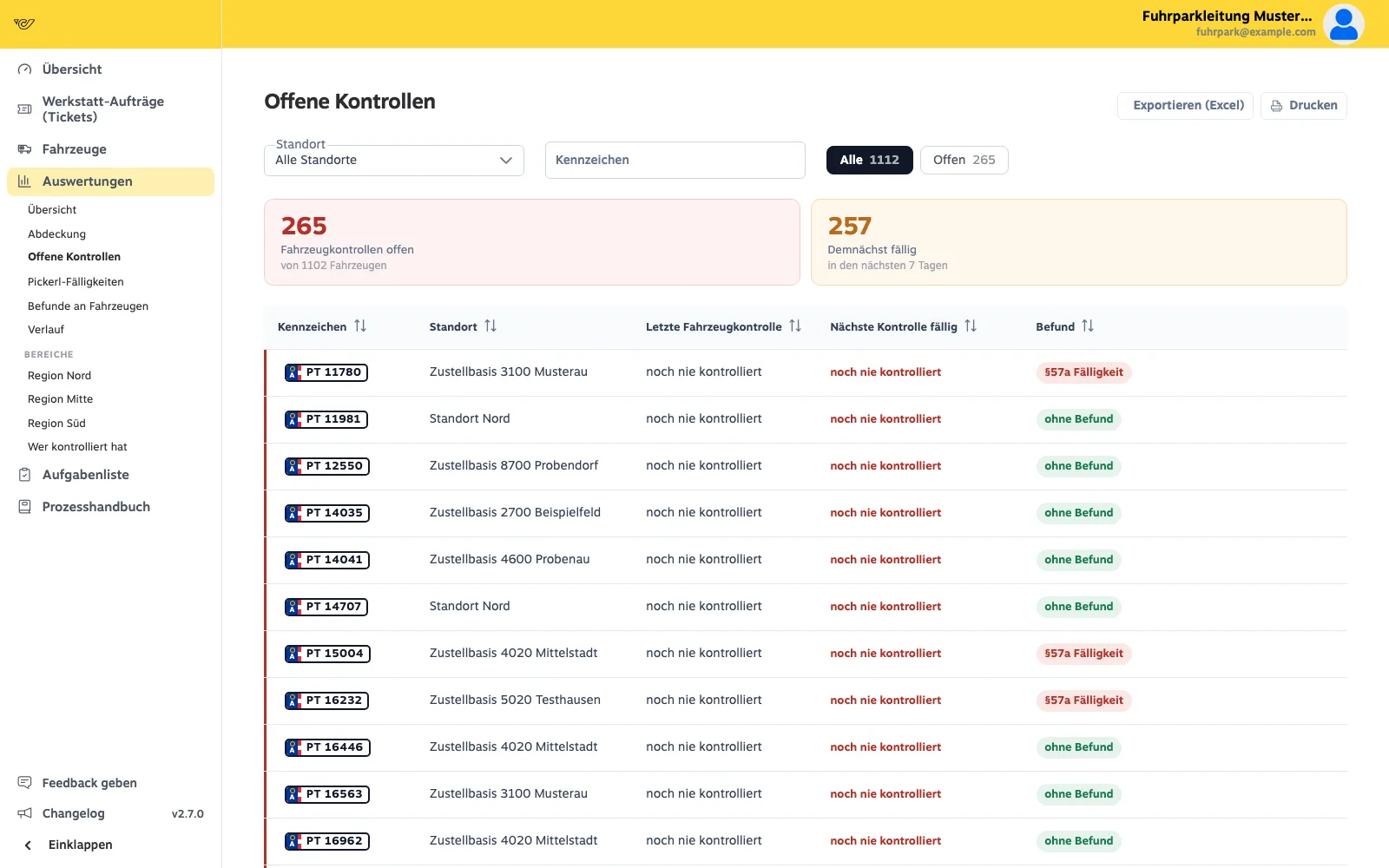
Every vehicle has its own due date: last inspection plus one month. Vehicles never inspected come first.
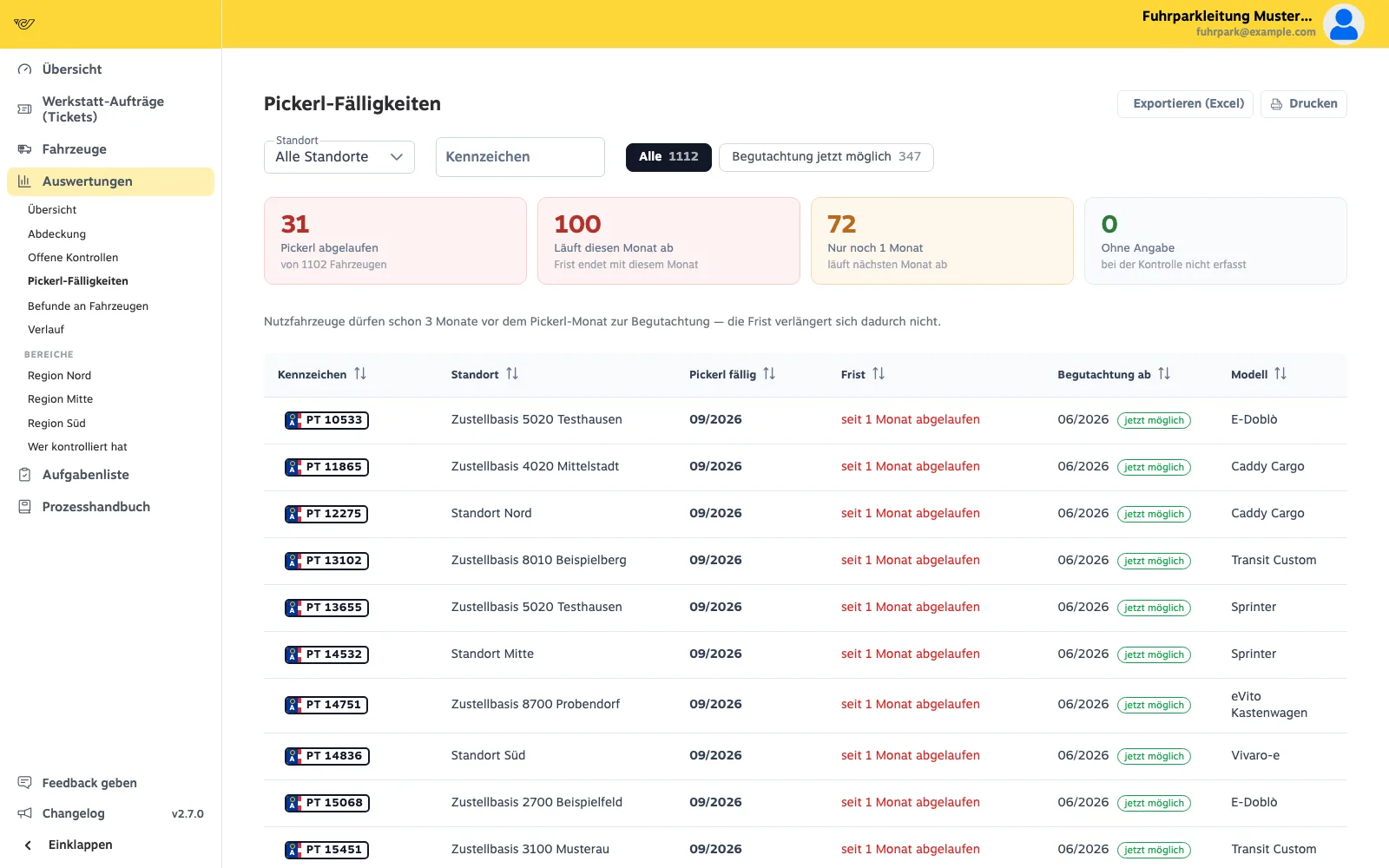
Expired, expiring this month, next month – and which vehicles can already be tested now.
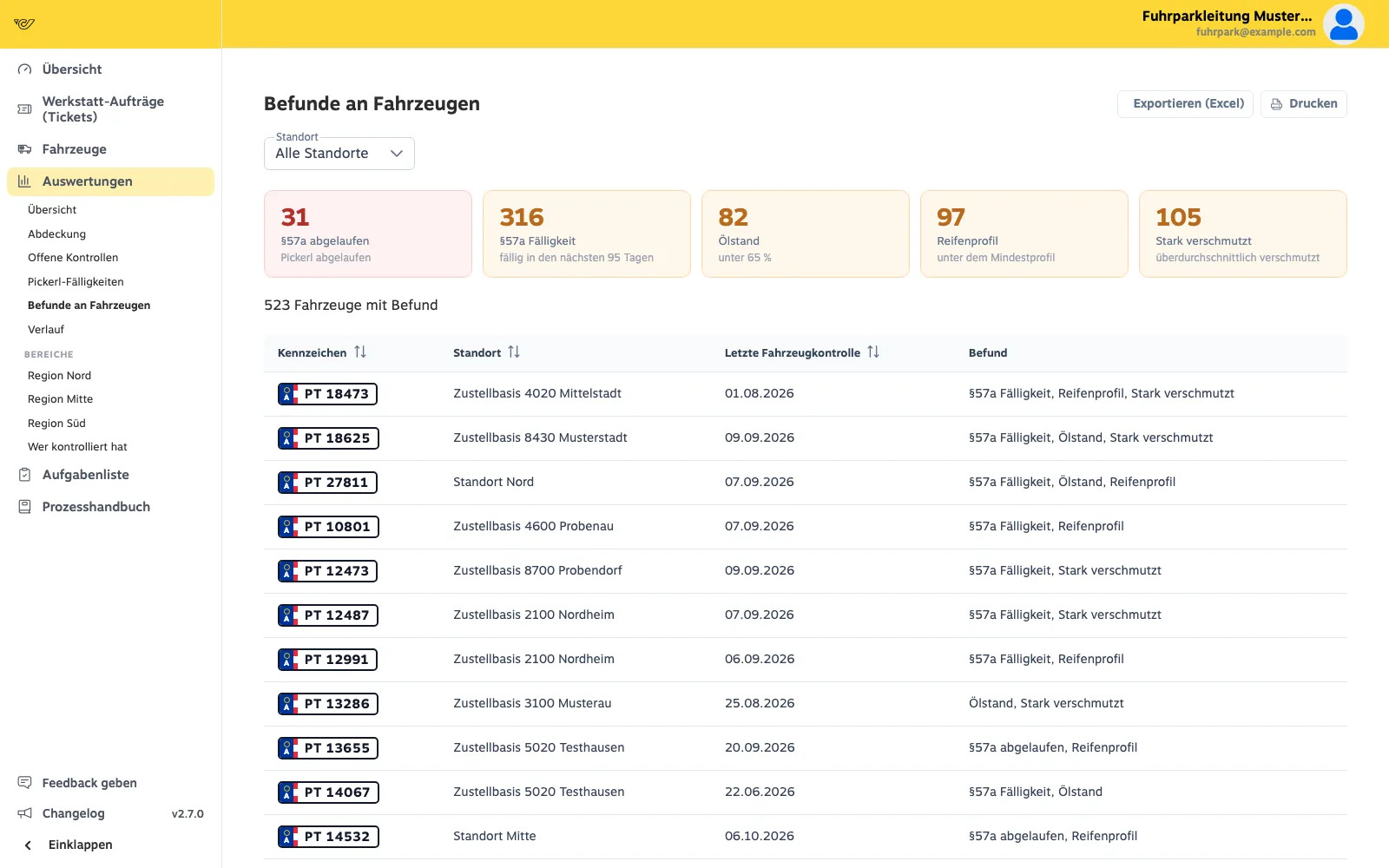
Sticker, oil level, tread depth, heavy soiling: what the inspections found, per vehicle and site.
We import your vehicle list from a spreadsheet or your current system. New vehicles are added as you go.
Yes, if you allow it for that site. The fixed assignment stays in place.
The driver reads it during the inspection and records the month in the app. It is always as current as the last inspection.
Thirty minutes on screen: you tell us how things run today, we show the app and the portal from your people’s point of view.