
The damage note in the glovebox
A defect is noticed but never recorded. Later nobody knows when it happened or who drove last.
Fleet app & workshop portal
Drivers inspect the vehicle on their phone, damage goes to the responsible workshop automatically with photos, and the workshop reports back in the portal. Proven in Austria’s largest fleet: Austrian Post.
For iOS and Android · Workshop portal in the browser · GDPR compliant

The same data, four views: drivers record, workshops repair, the fleet team steers, management keeps the overview.
A defect is noticed but never recorded. Later nobody knows when it happened or who drove last.
Overdue roadworthiness tests and worn tyres show up only when it is too late. The liability lies with the vehicle keeper.
Orders arrive by phone and e-mail, without pictures or plate numbers. The site finds out by chance when the vehicle is ready.
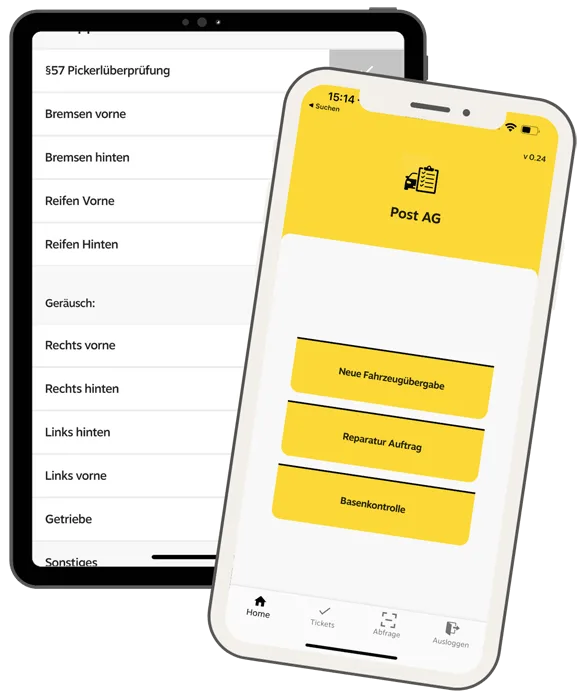
Scan the plate or QR code, tick off the checklist, photograph damage. Works offline too.
Every finding becomes an order – technical or bodywork, with photos and vehicle data.
The plate tells the app which workshop is responsible. It receives the order by e-mail and in the portal.
Status and repair are documented in the portal. The site sees when the vehicle is ready for pickup.
The iOS and Android app is built for use at the vehicle – large buttons, photos instead of forms, no paper.
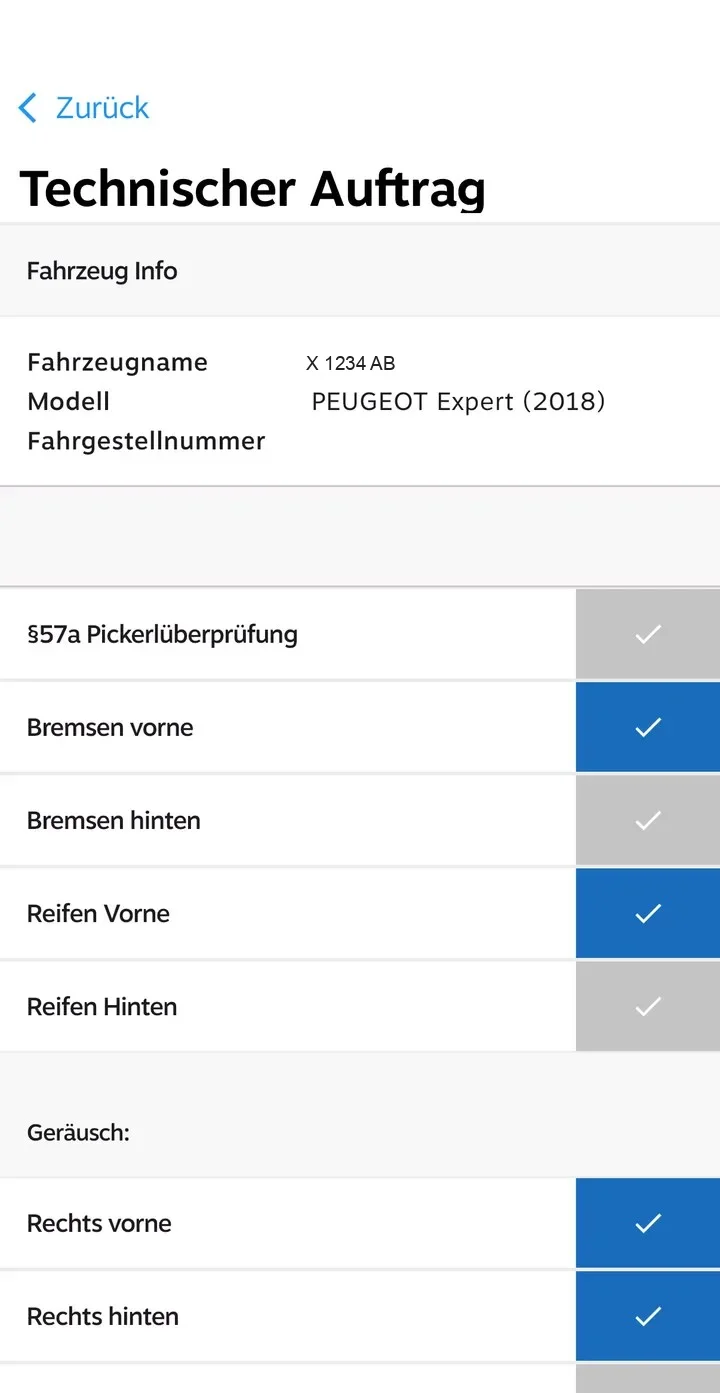
The driver goes through the checklist right at the vehicle. Every finding gets a photo – so a dated record is created along the way.
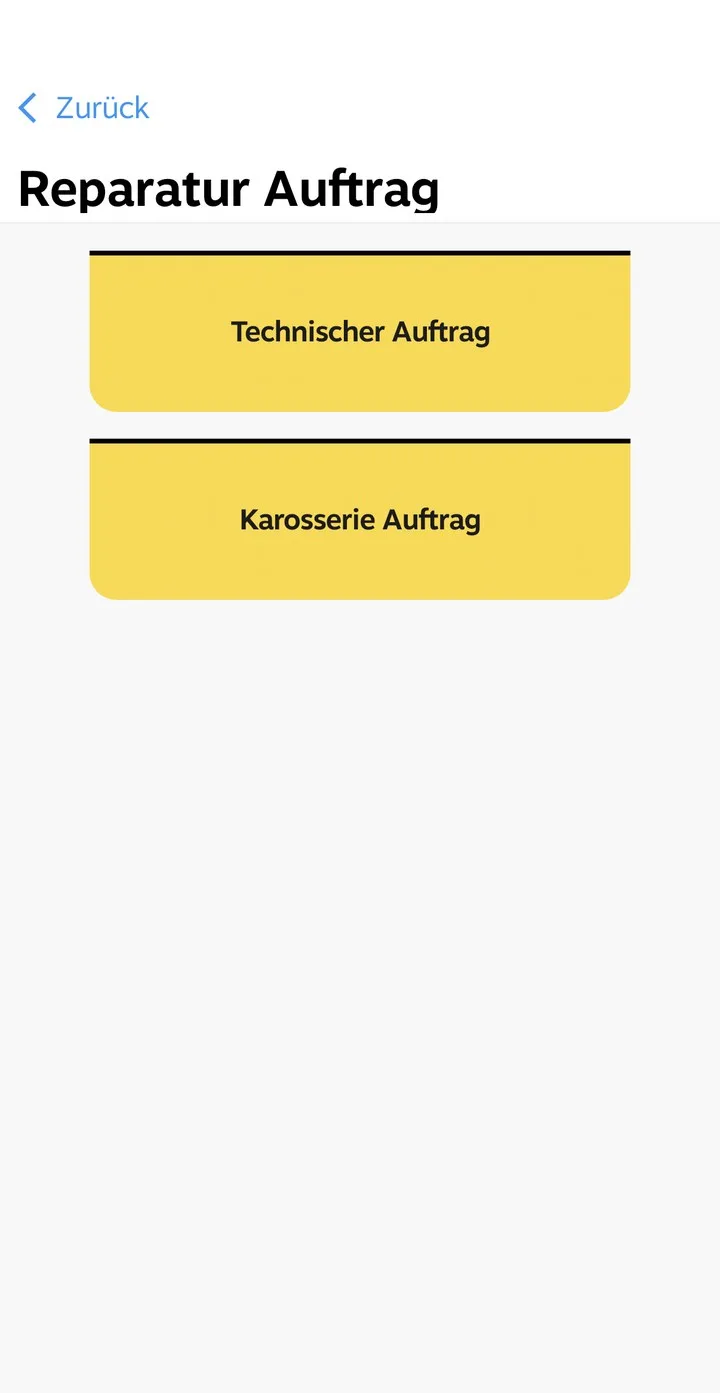
Every finding becomes a repair order with photos, plate number and vehicle data. The plate tells the app which workshop is responsible.
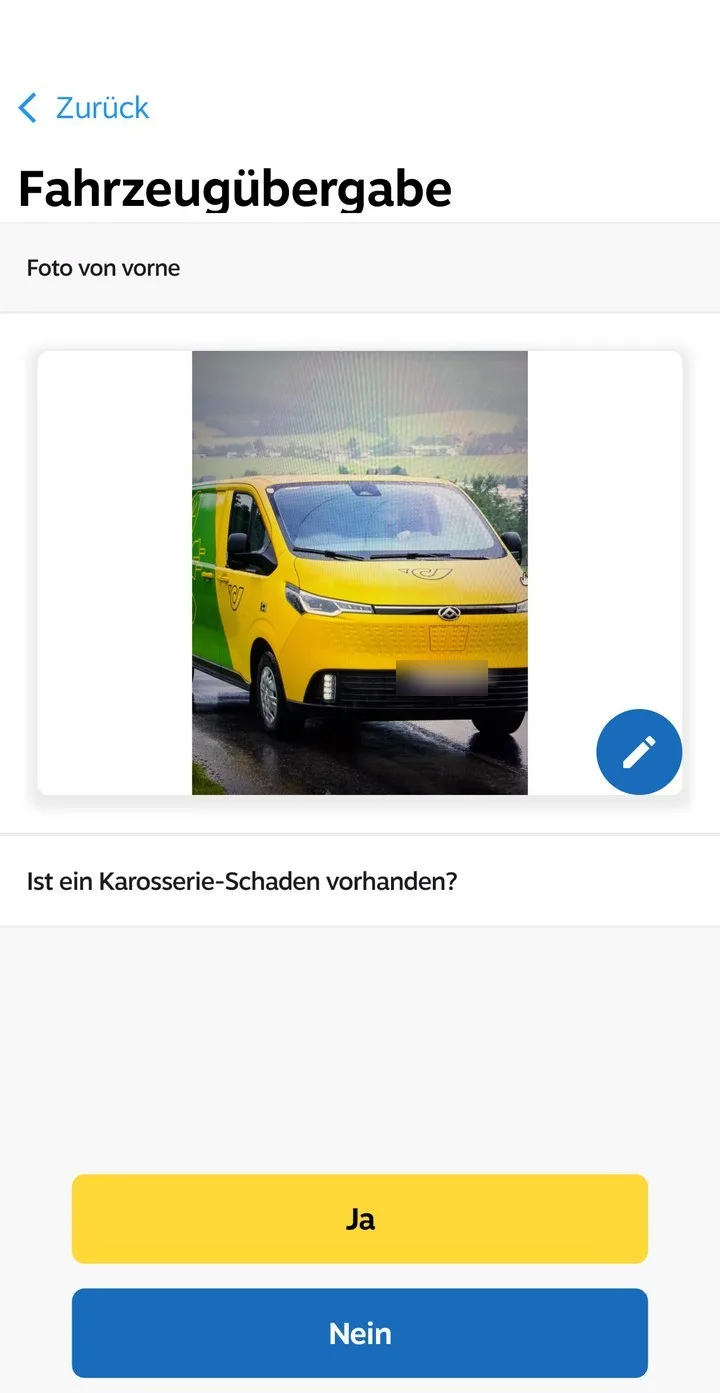
At handover and return the condition is photographed from every side. Later it is clear when damage occurred and who drove last.
An inspection in an underground car park is not lost. The app sends it as soon as there is a connection again.
Scan the vehicle or type the plate; model and VIN are filled in automatically.
Open pickups, returns and the status of every order – visible in the app at any time.
What changes day to day when inspections, damage reports and workshop orders run in one system.
| Task | Without a system | With the fleet app |
|---|---|---|
| Vehicle inspection | Paper checklist – or none at all | Checklist on the phone, with photo and date |
| Damage report | Note in the glovebox, a call to the fleet manager | Photo in the app, order created immediately |
| Workshop order | Phone and e-mail, without pictures | Sent to the responsible workshop automatically, with photos |
| Roadworthiness test | Dates in a spreadsheet | Due and expired stickers at a glance |
| Repair status | Chasing until the vehicle is ready | Status from “new” to “completed” in the portal |
| Proof for the vehicle keeper | Patchy and hard to find | A dated inspection per vehicle and driver |
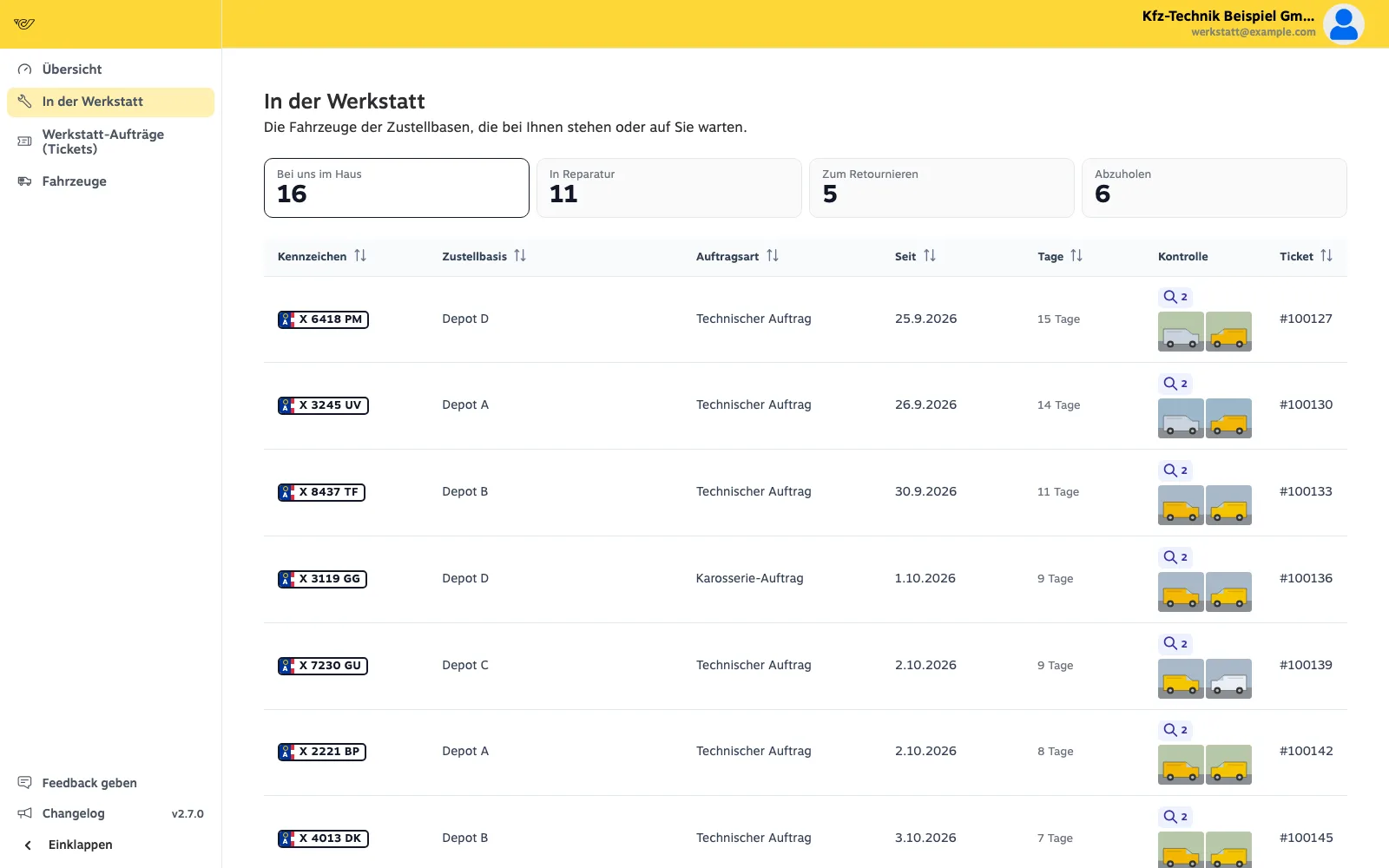
Everything recorded in the app comes together in the portal. It runs in the browser, in five languages, with nothing to install.
The workshop sees its orders with photos, sets the status and documents the repair. It signs in through the link in the order e-mail – no password, no software of its own.
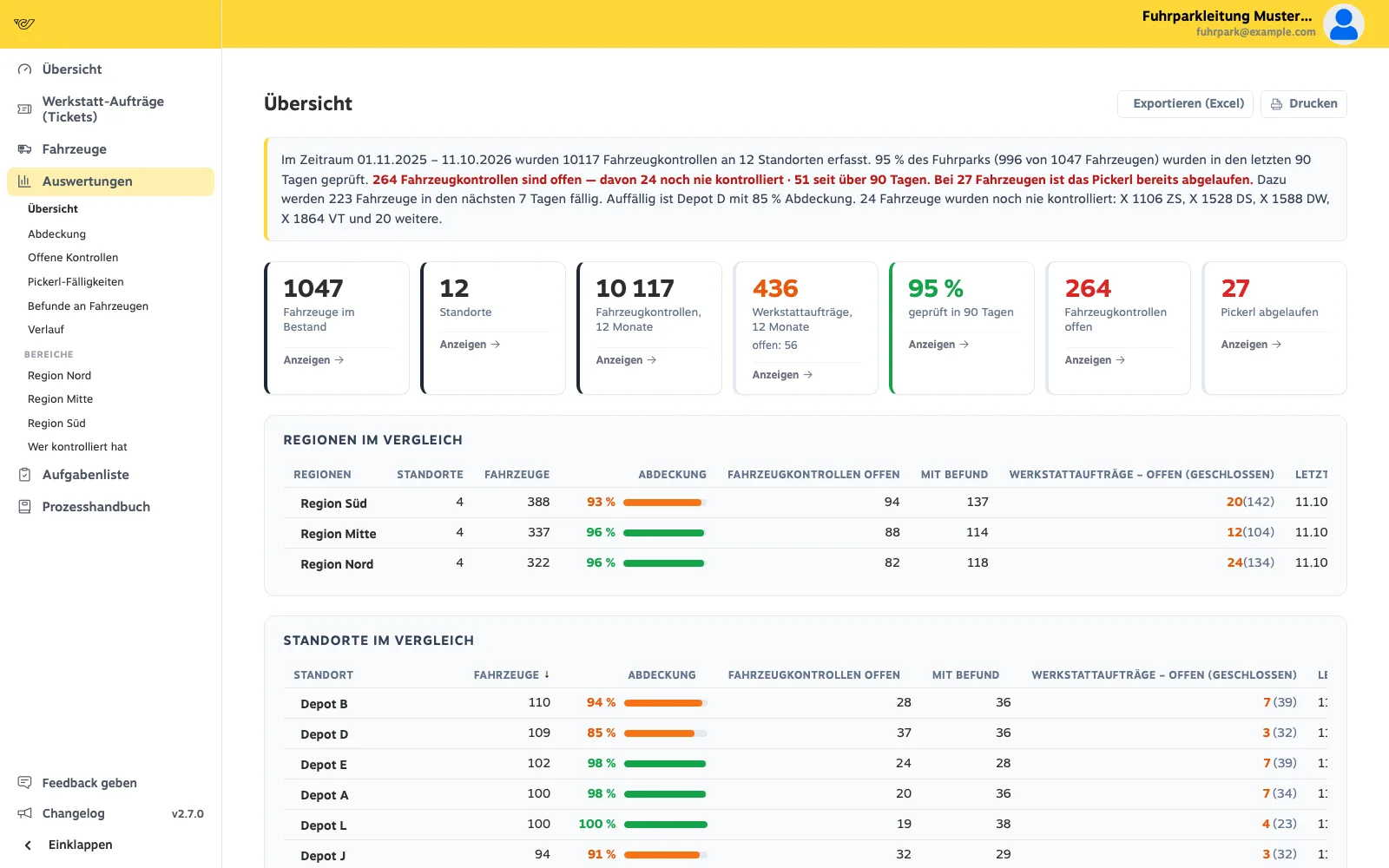
Every inspection turns into figures – per site and across the whole fleet. Each report answers one question instead of packing everything into one table.
The key figures per site and the sites side by side – read in ten seconds, without scrolling through lists of plates.
Sample data. All plates, sites and names are fictional.

“Thanks to 1Tool, Austrian Post has a mobile ticket system for managing vehicle damage. Communication with the fleet’s workshops is simpler and costs are saved.”
The registered keeper, not the driver, is liable for a roadworthy vehicle. With the app, every vehicle has a dated inspection with photos.
We set the system up with your data; your drivers and workshops install nothing but the app.
Your vehicle list from a spreadsheet or your current system.
Which workshop looks after which site or vehicle.
The inspection for your vehicle types – cars, vans, mopeds.
Short videos for drivers and workshops, plus personal onboarding.
Pricing depends on your fleet size and number of sites. You receive a quote after the first call.
A fleet app only gets used if it is faster at the vehicle than a paper note. These six points decide it – whichever system you choose.
An inspection has to be done in a few minutes: large buttons, photos instead of free text, the vehicle found by QR code or plate instead of searching lists.
Underground car parks and workshop halls often have no signal. The app has to store inspections and send them later.
External workshops install nothing. They need a link with photos and vehicle data and a way to report the status back.
The order has to reach the right workshop directly – set per site or per vehicle.
The registered keeper is liable for the vehicle being roadworthy. Every inspection needs a date, a driver and photos.
Fleet management needs to see where inspections are missing, which stickers are expiring and which findings keep recurring.
A fleet app puts the work around company vehicles on the phone: drivers inspect the vehicle, report damage with photos and hand vehicles over with a report. The 1Tool fleet app sends every damage report to the responsible workshop automatically, which handles it in the workshop portal.
Fleet management software manages vehicles, contracts and dates in the office. The fleet app starts where damage happens and gets fixed: at the vehicle and in the workshop. In 1Tool both parts share the same data.
You decide. At Austrian Post every vehicle is inspected once a month; the reports show for each vehicle when the next inspection is due.
Yes. The sticker is read at every inspection. The reports show which vehicles fall due in the coming months and which already have.
As soon as several sites, changing drivers or several workshops are involved – typically from about 50 vehicles. For smaller fleets the 1Tool fleet module is often enough.
No. Workshops work in the portal in the browser and sign in through the link in the order e-mail.
Yes. An inspection made offline is stored and sent as soon as the device is back online.
Yes. The checklist follows your vehicle types and your requirements.
No. The app records the condition of the vehicle and the way to the workshop, not positions.
It depends on the number of vehicles and sites. After a short call you receive a quote.
Thirty minutes on screen: you tell us how inspections and workshop orders run today, we show you the app and the portal.
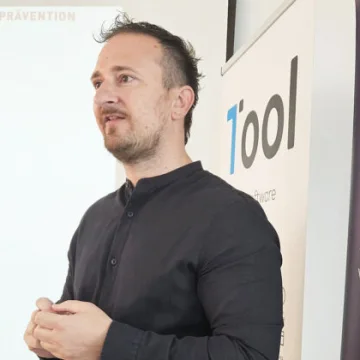
I built the fleet app with Austrian Post and will get back to you personally – usually on the same working day.
Tell us in your message how many vehicles, sites and workshops you have. We will work out how much time inspections and workshop orders cost you today.