All open orders in one place
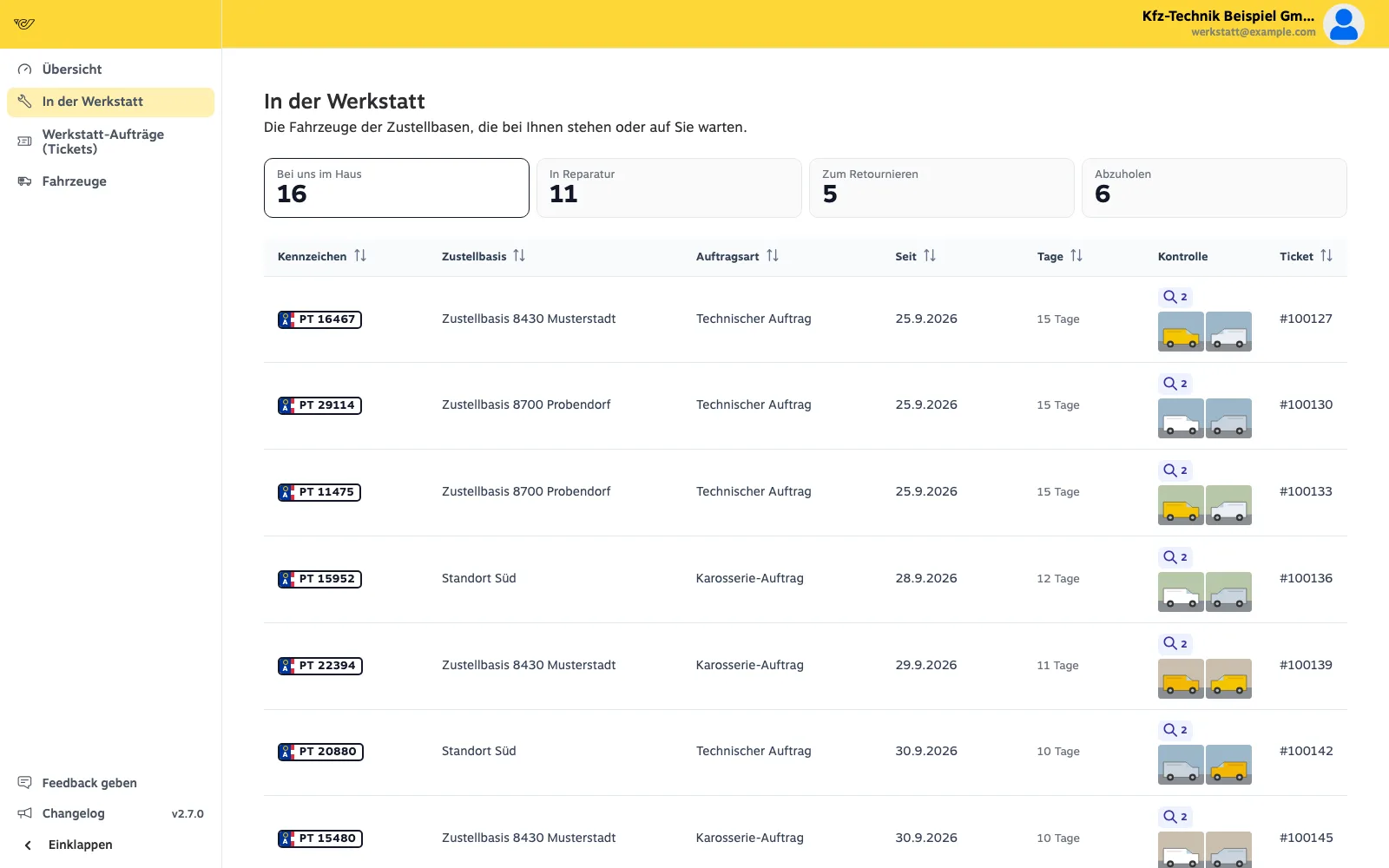
At a glance: what is in your workshop, what is in repair, what has to go back and what needs picking up – with site, order type, photos and how many days.
Workshop portal · For workshops
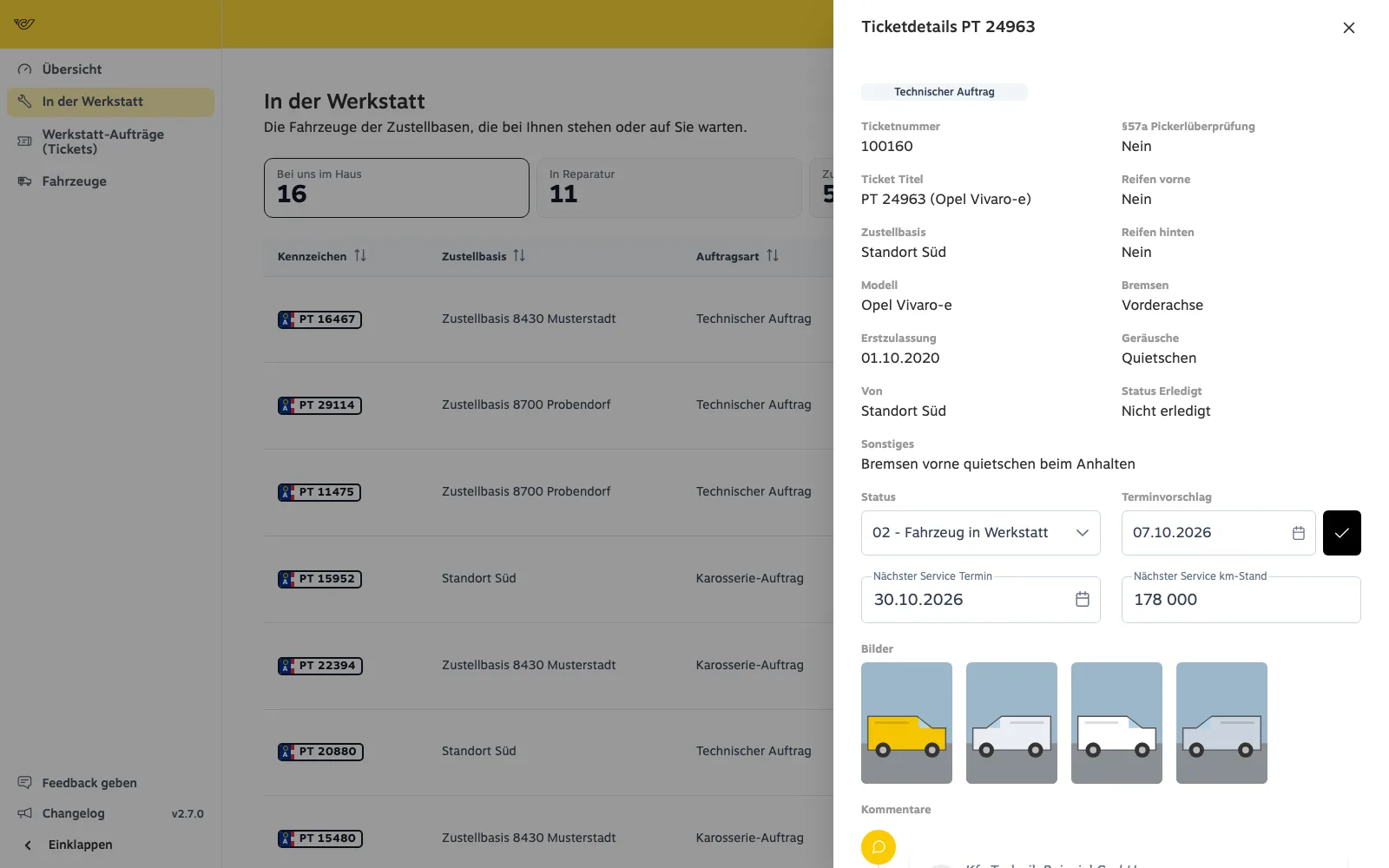
Every repair order comes with the plate, the problem and the driver’s photos. You set the status in the portal and the site sees at once when the vehicle is ready.
With a link that opens the order in the portal.
Plate, vehicle, site, problem and photos – no follow-up questions.
The proposed date goes to the site as a message – no back and forth on the phone.
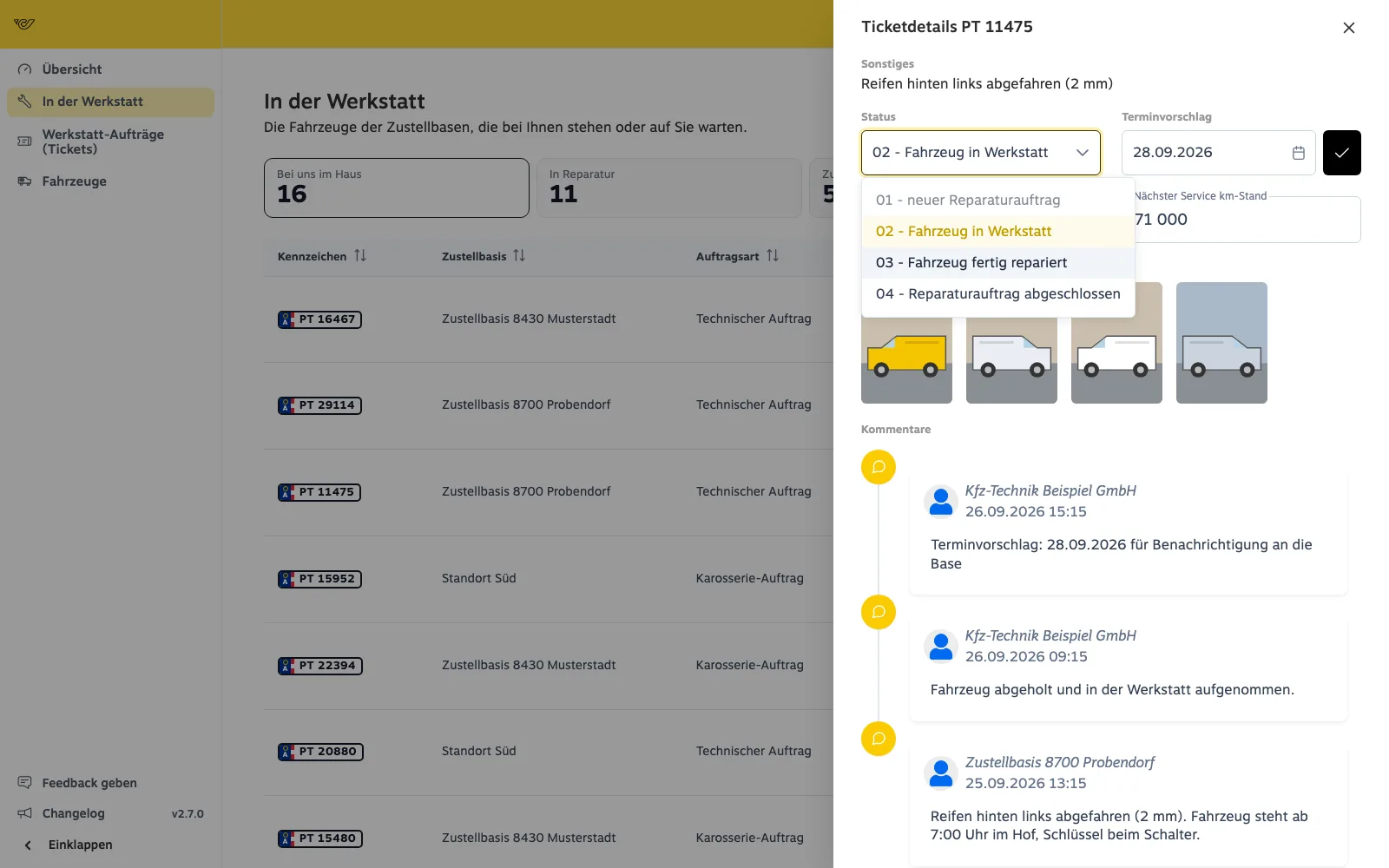
From “vehicle in workshop” to “repaired” to “completed” – the site sees it at once.
At a glance: what is in your workshop, what is in repair, what has to go back and what needs picking up – with site, order type, photos and how many days.
The driver’s photos, model, first registration, findings on brakes, tyres and noises, and the description. Plus next service date and mileage.
One click sets the new status. Every step is a comment in the history – from the site’s order to pickup, traceable for both sides.
No. You open the order through the link in the e-mail. Workshops working regularly get their own portal access.
Yes. Each workshop only sees the orders assigned to it.
Through the status in the portal – the site sees it at once, without anyone calling.
Thirty minutes on screen: you tell us how things run today, we show the app and the portal from your people’s point of view.